3D Motion Graphics: From Beginner to Pro
Master Motion Graphics from scratch and bring your ideas to life through professional animation and visual storytelling. Learn Adobe After Effects, motion design, typography, transitions, visual effects, and practical techniques through real-world projects. أتقن الموشن جرافيك من الصفر وحوّل أفكارك إلى تصاميم متحركة احترافية. تعلّم Adobe After Effects، أساسيات الـ Motion Design، تحريك النصوص والعناصر، الانتقالات، المؤثرات البصرية، والتقنيات العملية من خلال مشاريع واقعية.
What You’ll Learn
About This Course
Turn your creative ideas into powerful, professional animations with our Motion Graphics Mastery course. This program is designed to take you from the fundamentals of motion design to creating polished, engaging visual content for social media, advertising, branding, and professional projects.
Throughout the course, you will learn how to work confidently with Adobe After Effects and understand the essential principles behind professional motion graphics. Instead of focusing only on software tools, you will learn how to combine design, movement, timing, typography, visual effects, and storytelling to create animations that communicate ideas effectively.
You will gain practical experience in keyframe animation, text and typography animation, shape animation, transitions, masking, compositing, visual effects, motion tracking, and professional workflow techniques. You will also learn how to organize your projects efficiently and export your work correctly for different platforms and purposes.
The course follows a hands-on, project-based approach, allowing you to apply what you learn through practical exercises and real-world projects. By the end of the program, you will be able to create professional motion graphics projects independently and develop work that can be added to your portfolio.
Whether you are a complete beginner, graphic designer, video editor, content creator, freelancer, or someone looking to start a career in Motion Graphics, this course will provide you with the practical foundation and creative skills needed to take your work to the next level.
حوّل أفكارك الإبداعية إلى تصاميم متحركة احترافية من خلال كورس Motion Graphics Mastery، المصمم ليأخذك من أساسيات الموشن جرافيك خطوة بخطوة حتى تتمكن من تنفيذ مشاريع احترافية مناسبة للسوشيال ميديا، الإعلانات، البراندات والمشاريع التجارية.
خلال الكورس ستتعلم استخدام Adobe After Effects بشكل عملي، بالإضافة إلى فهم المبادئ الأساسية التي تجعل الـ Motion Graphics احترافيًا. الهدف ليس مجرد معرفة أدوات البرنامج، بل تعلم كيفية دمج التصميم والحركة والتوقيت وتحريك النصوص والمؤثرات البصرية والـ Visual Storytelling لإنتاج محتوى جذاب يوصل الفكرة بشكل واضح ومميز.
ستتدرب عمليًا على Keyframe Animation، تحريك النصوص والـ Typography، تحريك الـ Shapes، تصميم الـ Transitions، استخدام الـ Masks، الـ Compositing، المؤثرات البصرية، Motion Tracking والعديد من التقنيات المستخدمة في تنفيذ مشاريع الموشن جرافيك.
يعتمد الكورس على التعلم بالتطبيق والمشاريع العملية، بحيث تقوم بتطبيق المهارات التي تتعلمها على تمارين ومشاريع مشابهة لما يتم تنفيذه في سوق العمل. كما ستتعلم كيفية تنظيم ملفات ومشاريع After Effects بشكل احترافي وتجهيز وتصدير أعمالك بالجودة والإعدادات المناسبة لمختلف المنصات.
بنهاية الكورس ستكون قادرًا على تنفيذ مشاريع Motion Graphics بشكل مستقل، وتحويل الأفكار والتصاميم الثابتة إلى محتوى متحرك احترافي، بالإضافة إلى امتلاك مجموعة من المشاريع التي يمكنك استخدامها في بناء Portfolio قوي.
الكورس مناسب للمبتدئين، مصممي الجرافيك، Video Editors، Content Creators، Freelancers، وأي شخص يرغب في دخول مجال Motion Graphics وMotion Design وبناء مهارات عملية تؤهله لتطوير مستواه والعمل على مشاريع حقيقية.
Before You Start
Requirements
- ✓ No previous Motion Graphics experience is required. The course is designed to take you from the fundamentals to an advanced practical level.
- ✓ * Basic computer skills.
- ✓ * A laptop or PC capable of running **Adobe After Effects**.
- ✓ * Adobe After Effects installed on your device.
- ✓ * Basic English proficiency to understand common technical terms.
- ✓ * A stable internet connection for online sessions and learning resources.
- ✓ * Commitment to practice, complete assignments, and work on course projects.
- ✓ * Creativity and a willingness to learn no previous design or animation experience is required.
- ✓ لا يشترط وجود خبرة سابقة في **Motion Graphics**، حيث تم تصميم الكورس ليبدأ معك من الأساسيات ويتدرج إلى مستوى عملي متقدم.
- ✓ * معرفة أساسية باستخدام الكمبيوتر.
- ✓ * جهاز Laptop أو PC مناسب لتشغيل **Adobe After Effects**.
- ✓ * تثبيت برنامج Adobe After Effects على الجهاز.
- ✓ * معرفة أساسية باللغة الإنجليزية لفهم المصطلحات التقنية.
- ✓ * اتصال مستقر بالإنترنت للمحاضرات والمصادر التعليمية.
- ✓ * الالتزام بالتطبيق العملي وتنفيذ الـ Assignments والمشاريع المطلوبة.
- ✓ * الشغف والإبداع والاستعداد للتعلم، ولا يشترط وجود خبرة سابقة في التصميم أو التحريك.
Course Curriculum
Module 01Motion graphic course1 item⌄
- ▶ introduction about motion graphic course0 minutes
Module 021-Adobe illustrator11 items⌄
- ▶ introduction5 minutes
- ▶ stroke , fill, pentool9 minutes
- ▶ gradient , rotate10 minutes
- ▶ rectangle, repeate15 minutes
- ▶ line, rounded rectangle9 minutes
- ▶ reflect8 minutes
- ▶ pucker and bloat11 minutes
- ▶ draw character part 116 minutes
- ▶ draw character part 217 minutes
- ▶ save file2 minutes
- ▶ release the layers7 minutes
Module 032- Adobe aftereffects (motion graphic) part 160 items⌄
- ▶ workspace2 minutes
- ▶ composition7 minutes
- ▶ frames and keyframes 📎 Resource12 minutes
- ▶ transform 📎 Resource17 minutes
- ▶ graph editor9 minutes
- ▶ release the character3 minutes
- ▶ character animation part 115 minutes
- ▶ character animation part 23 minutes
- ▶ character animation part 311 minutes
- ▶ project 126 minutes
- ▶ alfa matte8 minutes
- ▶ mask9 minutes
- ▶ text animation12 minutes
- ▶ trim path part 17 minutes
- ▶ trim path part 216 minutes
- ▶ project 227 minutes
- ▶ effects part 110 minutes
- ▶ effects part 25 minutes
- ▶ expresssion part 1 📎 Resource13 minutes
- ▶ expresssion part 212 minutes
- ▶ expresssion part 36 minutes
- ▶ expresssion part 48 minutes
- ▶ expression part 56 minutes
- ▶ principles of animation part 16 minutes
- ▶ principles of animation part 28 minutes
- ▶ principles of animation part 312 minutes
- ▶ principles of animation part 45 minutes
- ▶ principles of animation part 524 minutes
- ▶ project 3 part 113 minutes
- ▶ project 3 part 217 minutes
- ▶ cube 3d part 120 minutes
- ▶ extrude part 210 minutes
- ▶ 3d part 34 minutes
- ▶ advanced effects part 120 minutes
- ▶ advanced effects part 210 minutes
- ▶ advanced effects part 317 minutes
- ▶ advanced effects part 42 minutes
- ▶ morphing13 minutes
- ▶ transitions11 minutes
- ▶ project 431 minutes
- ▶ project 5 part 119 minutes
- ▶ project 5 part 25 minutes
- ▶ project 5 part 38 minutes
- ▶ project 5 part 426 minutes
- ▶ project part 540 minutes
- ▶ project 5 part 616 minutes
- ▶ project 6 part 114 minutes
- ▶ project 6 part 214 minutes
- ▶ project 6 part 36 minutes
- ▶ project 6 part 422 minutes
- ▶ project 6 part 54 minutes
- ▶ project 6 part 63 minutes
- ▶ project 6 part 721 minutes
- ▶ project 6 part 86 minutes
- ▶ project 6 part 915 minutes
- ▶ project 6 part 1011 minutes
- ▶ project 6 part 117 minutes
- ▶ project 6 part 128 minutes
- ▶ project 6 part 1312 minutes
- ▶ project 6 part 149 minutes
Module 043- Adobe aftereffects (logo animation) part 235 items⌄
- ▶ bounce part 13 minutes
- ▶ bounce part 27 minutes
- ▶ bounce part 36 minutes
- ▶ bounce part 49 minutes
- ▶ pop up part 17 minutes
- ▶ pop up part 212 minutes
- ▶ offset paths5 minutes
- ▶ repeater18 minutes
- ▶ logo 137 minutes
- ▶ logo 2 part 128 minutes
- ▶ logo 2 part 215 minutes
- ▶ logo 3 part 124 minutes
- ▶ logo 3 part 211 minutes
- ▶ logo 3 part 321 minutes
- ▶ logo 4 part 111 minutes
- ▶ logo 4 part 217 minutes
- ▶ logo 5 part 112 minutes
- ▶ logo 5 part 215 minutes
- ▶ logo 6 part 111 minutes
- ▶ logo 6 part 212 minutes
- ▶ logo 7 part 12 minutes
- ▶ logo 7 part 224 minutes
- ▶ logo 820 minutes
- ▶ logo 9 part 12 minutes
- ▶ logo 9 part 211 minutes
- ▶ logo 109 minutes
- ▶ logo 1113 minutes
- ▶ logo 12 part 11 minute
- ▶ logo 12 part 23 minutes
- ▶ logo 12 part 32 minutes
- ▶ logo 12 part 416 minutes
- ▶ logo 13 part 15 minutes
- ▶ logo 13 part 216 minutes
- ▶ logo 13 part 38 minutes
- ▶ logo 1411 minutes
Meet Your Instructor
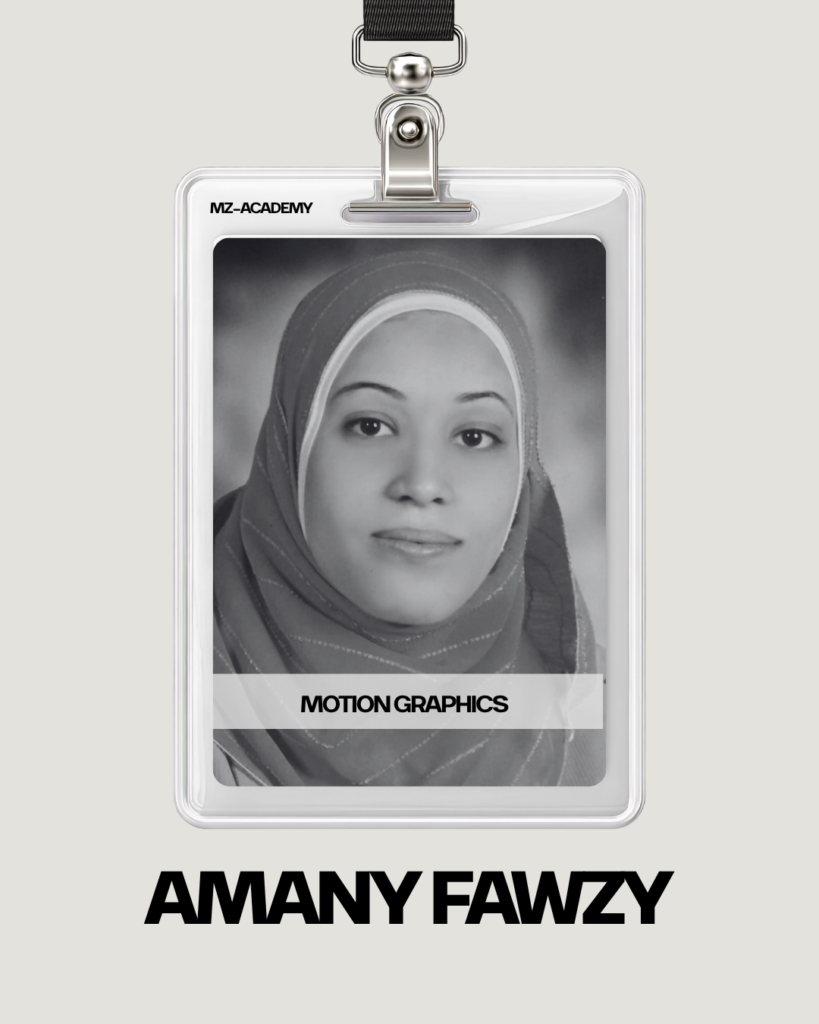
Amany Fawzy
Motion GraphicsI’m Amany, a Motion Graphics Instructor and Designer with over 4 years of professional experience in motion design and digital media. I specialize in transforming creative concepts into engaging visual experiences through animation, design, and visual storytelling. I have strong expertise in the Adobe Creative Suite, including After Effects, Photoshop, Illustrator, Premiere Pro, InDesign, and Audition, allowing me to work across motion graphics, graphic design, video editing, and audio production. As an instructor, I focus on combining creative fundamentals with practical, industry-relevant techniques, helping students build strong technical skills, develop their creative thinking, and gain the confidence to create professional projects for their portfolios and future careers.
in View LinkedIn ProfileYour Learning Journey Starts Here.
Build practical skills and turn knowledge into real projects.